
Free practice planning worksheet
Plan the practice work behind adding a provider.
Use this three-page worksheet to clarify the operational need, identify unanswered administrative questions and assign qualified review roles. It is a practice planning aid, not a candidate assessment or proof that a provider is ready to work or bill.
Download the free provider planning worksheet (PDF)PDF · 3 pages · US Letter · 9,164 bytes
Understand credentialing and billing readiness distinctions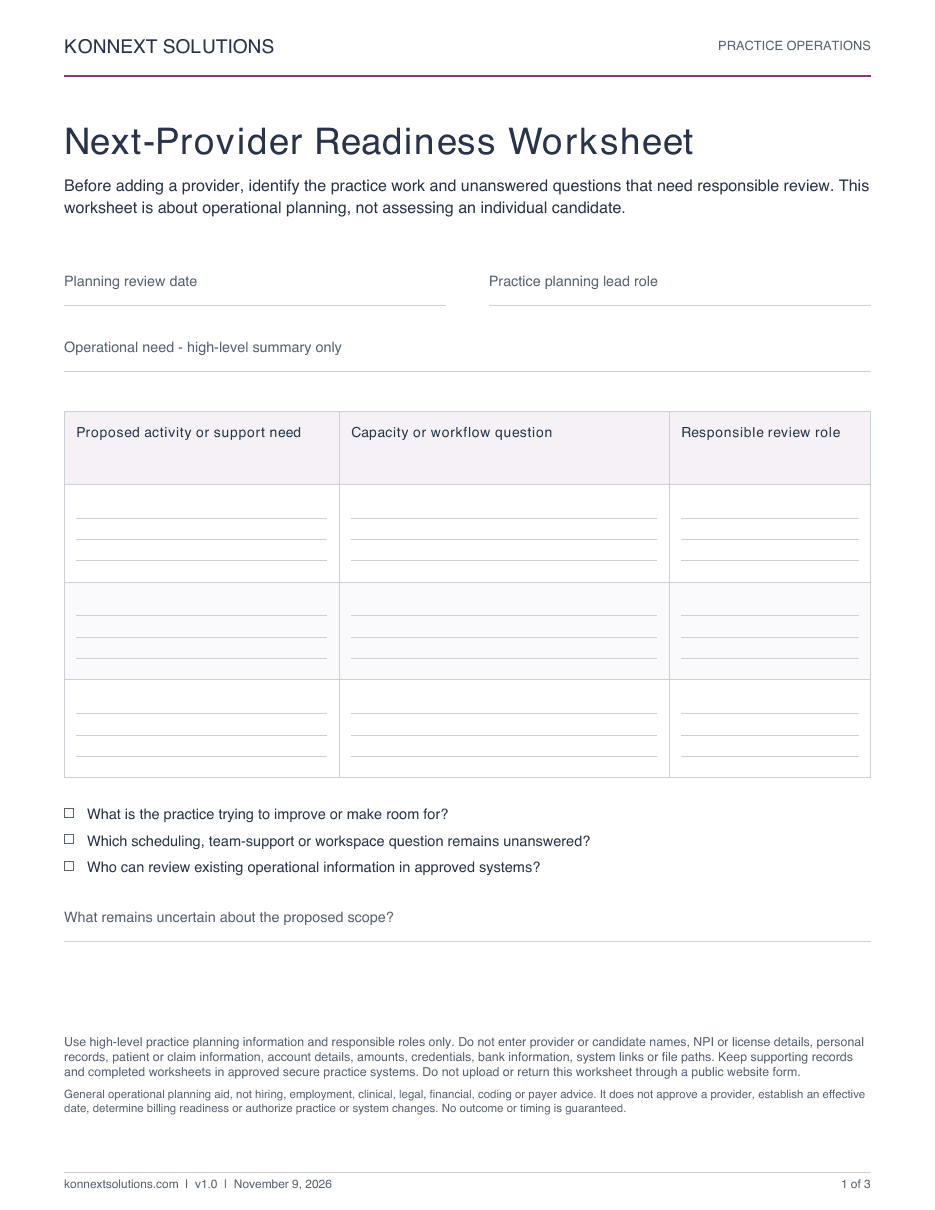
What is inside?
Practice needs and scope
Describe the operational need and unanswered capacity or workflow questions.
Administrative review questions
Keep different milestones separate and identify the qualified review role.
Follow-up ownership
Carry open planning questions into a discussion with a responsible role and review date.
Separate planning questions from readiness decisions.
Credentialing, enrollment, contracting, effective dates and billing setup raise different questions. The applicable payer or program requirements and actual records need qualified review. This worksheet records what remains unanswered; it does not establish approval, participation, an effective date or billing readiness.
Review provider credentialing supportKeep personal provider records out of the worksheet.
Use high-level practice planning information and responsible roles only. Do not enter provider or candidate names, NPI or license details, personal records, patient or claim information, account details, amounts, credentials, bank information, system links or file paths. Keep supporting records and completed worksheets in approved secure practice systems. Do not upload or return this worksheet through a public website form.
Print the blank PDF or annotate it locally using approved tools. This page does not ask you to return completed planning notes.
Questions about the provider planning worksheet
Is this a hiring or candidate evaluation form?
No. It organizes practice-level operational questions. It does not score candidates, recommend a hiring decision or assess an individual provider.
Should we enter provider names, NPI numbers or license details?
No. Use high-level practice questions and responsible roles only. Keep identities, credentials, personal records and supporting evidence in approved systems, outside this worksheet.
Does completing it establish approval or billing readiness?
No. Credentialing, enrollment, contracting, effective dates and billing setup need separate qualified review where applicable. Completing a planning worksheet establishes none of those outcomes.
Is an email or account required to download it?
No. The blank PDF is available without an email form or account. Print it or annotate it locally in your approved tools; do not send completed worksheets through a public form.
Need help defining credentialing support?
Review Konnext’s provider credentialing scope, reporting and practice responsibilities. Any engagement is agreed separately; the worksheet does not authorize applications, determine eligibility or promise approval.